



Get The Gas Out
During the 2002 Olympics, held
here in Salt Lake City, Utah, I was privileged
to have an exhibit of my landscape photographs. I
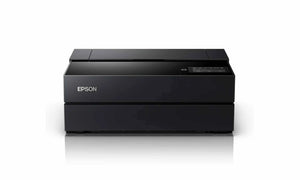
made the requisite prints on my Epson 2200
printer utilizing Epson papers and Ultra
Chrome Inks. For consistency sake I
kept the image size the same and in either
horizontal or vertical orientation. Therefore
I cut the entire group of over mats, assembled
all of the frames and prepared all of the
glass before making the prints. Printing
required two full days and then the units
were quickly assembled and delivered to the
location.

After the exhibit was over
I removed the prints from the frames for
storage. I
noticed a devastating fog on the inside of
the glass of every unit. I immediately
began my queries as to what had happened. That
is when I found out you have to “get
the gas out”.
I have found out that out-gassing fog is
NOT an Epson specific problem. It is
an inkjet problem, regardless of printer,
paper or ink manufacturer. The out-gassing
fog originates with the glycol wetting agent,
which is used as one of the liquefiers along
with the water and coloring agent in the
inks (and pigments).
Most of the current crop of inkjet papers
has either a RC (resin coating) barrier layer
(usually polyethylene like traditional photographic
papers) between the inkjet receptive coating
and the paper base or an ink receiving coating
over the paper base. The denser RC
barrier creates the bigger problem in gas
trapping. The barrier is used to prevent
heavy ink loads from wicking into the paper,
thus lowering image resolution, contrast
and color saturation. It also impedes
excess moisture from reaching the paper base,
which causes paper "cockling" (deforming
wrinkles). However, this same barrier
can prevent the ink from drying quickly. Although
the paper may appear to be dry (and is dry
to the touch, especially "fast-drying" micro-porous
papers like Epson's "Premium" line),
there are still plenty of liquid agents trapped
under the super-absorbent ink receptor coating,
lying against the barrier layer.
It is the trapped glycol and other ink liquids
in and under the barrier layer, that may
eventually out-gas (evaporate) and condensate
(fog) on the inside of the glass, if a print
is framed before it has had a chance to sufficiently
dry. Some have noticed that the fog
on the glass is "oily" to the touch. This
is from the glycol.
People in the inkjet signage industry have
long ago noticed that they must let their
RC type photo papers dry for several days
before they can heat laminate these papers. If
heat laminated too soon the trapped water
and glycol will immediately turn to steam
and create bubbles between the laminate and
the paper. The premium (heavy or thick)
papers may require up to two weeks to thoroughly
dry
Accelerated drying procedures may be needed
when framing "Premium" papers (and
all other RC type papers) behind glass to
avoid out-gassing fog on the glass. Epson
and other companies suggest waiting at least
two weeks before framing barrier type photo
inkjet papers behind glass or laminating. Unfortunately,
most of us do not have that much time to
wait.
Greg McCoy, a representative from Epson,
suggests for those needing a quicker drying
solution 'cure' the new print with a plain
piece of paper in contact with the print
for at least twenty-four hours. After
twenty-four to forty-eight hours, you should
notice the plain sheet of paper is wavy,
indicating that it has absorbed the moisture
from the inkjet print. The absorption
receiver sheet may now be discarded and the
prints framed, laminated or boxed and stored.
Epson’s Velvet Fine Art paper and
other fine matte papers have a very delicate
surface, which should be protected with a
paper slip-sheet when being transported,
boxed and stored. Since there is a
need for paper drying sheets and storage
slip-sheets, how do we do this economically? I
found a good quality bleached white Kraft
paper roll for around $40.00 at my local
paper supply store. This 24” wide,
1300 foot long roll provides about 600 24”x24” sheets
for approximately seven cents a sheet. I
find this a reasonable cost solution.
Another note for storing your inkjet prints
is that they should NOT be mixed with traditional
photographic prints. The by-products
given off by the different media (black & white,
color and inkjet prints) should not be mixed
for their best longevity. It is not
overly expensive to utilize a different storage
box for each type of print. You can
order your archival storage boxes here:
www.pictureline.com/photographic/storage/slightimpressions/lightimpressions.html
Epson's new pigmented UltraChrome
inks nor any of their other ink sets seem
to have glycol drying issues on matte and
fine art papers. There
does not seem to be any drying problems with
their cast coated glossy photo papers, such
as the Epson Photo Paper (now called "Glossy
Photo Paper") and their Glossy Paper
Photo Weight (also called "Professional
Glossy Paper") in sheet sizes.
I hope that your framing and storage problems
will be prevented from what I have found
in my misadventure. Enjoy your photography
and may your prints last.
Submitted by askRodger@pictureline.com